In 2024, a graphic designer in Indore spent 3 hours removing backgrounds, generating mockups, and creating social media variations for a single client project. In 2026, the same work takes 25 minutes — because AI tools now handle the repetitive, technical execution while the designer focuses on creative decisions.
This is not about AI replacing designers. This is about designers who use AI replacing designers who do not.
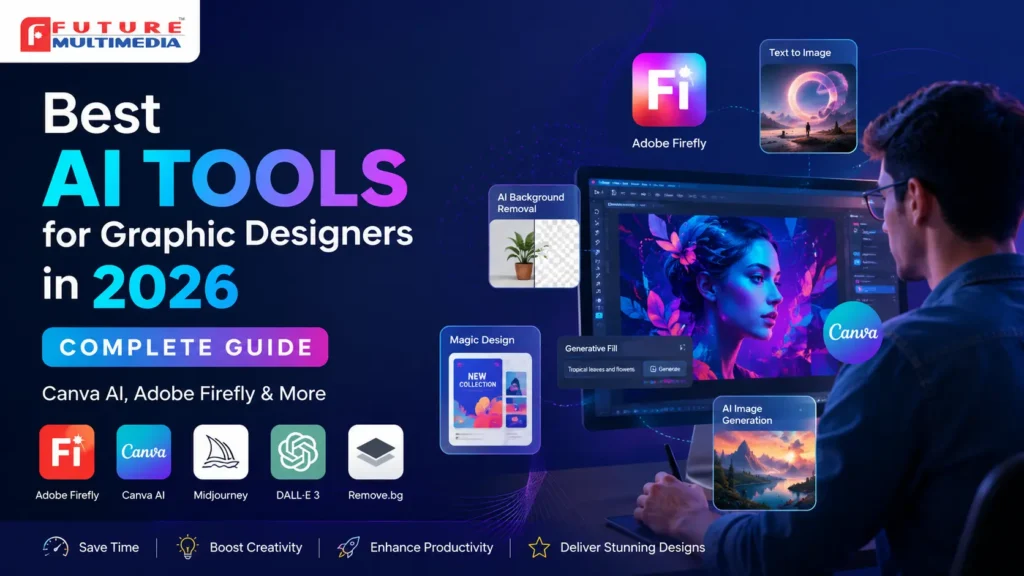
This guide covers every AI tool that actually matters for graphic designers in 2026 — what each one does, what it costs, how professional it really is, and exactly when to use it. Whether you are a student at a graphic design course in Indore, a working designer at a Vijay Nagar agency, or a freelancer handling clients from home — this guide is built for your actual workflow.
Want to learn AI-powered graphic design from scratch? Future Multimedia’s graphic design course in Indore now includes a dedicated AI tools module — Adobe Firefly, Canva AI, and Midjourney — as part of the core curriculum. See full details at futuremultimedia.in/graphicdesignmaster.html
Quick Reference — All AI Design Tools at a Glance
Before the detailed breakdown, here is a complete at-a-glance comparison of every major AI tool covered in this guide:
| Tool | Best For | Free Plan? | Skill Level | India Pricing | Rating |
| Adobe Firefly | Photoshop AI editing | Yes — limited | Intermediate | Included in CC | ★★★★★ |
| Canva AI (Magic Studio) | Social media, fast design | Yes — basic | Beginner | Free / Rs 3,999/yr | ★★★★★ |
| Midjourney | Concept art, mood boards | No | Intermediate | ~Rs 840/mo | ★★★★★ |
| Adobe Sensei | Photoshop smart filters | With CC | Beginner | Included in CC | ★★★★☆ |
| DALL-E 3 | Text-to-image concepts | Via ChatGPT free | Beginner | Free / ChatGPT Plus | ★★★★☆ |
| Remove.bg | Background removal | Yes — low res | Beginner | Free / Rs 999+ | ★★★★★ |
| Looka | AI logo generation | Preview only | Beginner | Rs 2,000–Rs 6,000 | ★★★☆☆ |
| Stable Diffusion | Advanced image gen | Yes — local install | Advanced | Free (local) | ★★★★☆ |
| Runway ML | Video + motion design | Yes — limited | Intermediate | Free / ~Rs 1,200/mo | ★★★★☆ |
| Bing Image Creator | Quick image concepts | Yes — free | Beginner | Free | ★★★☆☆ |
1. Adobe Firefly — The Most Important AI Tool for Professional Designers
If you only learn one AI tool as a graphic designer in 2026, make it Adobe Firefly. It is built directly into Photoshop and Illustrator — the software most Indore agencies and IT companies already use. This means zero new software to install and zero new workflow to build. AI is already inside the tools you use every day. Adobe Firefly is now a core part of professional graphic design training in Indore — students learn Generative Fill and AI workflows directly inside Photoshop and Illustrator
What Adobe Firefly Actually Does
| Feature | What It Does | Time Saved |
| Generative Fill | Select any area in Photoshop, type a text prompt, and AI generates realistic content in that exact space — matching lighting, texture, and perspective of the original image. | Background replacement: 2 hours → 8 minutes. Object removal: 45 minutes → 2 minutes. |
| Generative Expand | Extend an image beyond its original borders. Perfect for repurposing a portrait photo into a landscape banner without manual editing. | Banner adaptation from portrait: 1.5 hours → 5 minutes. |
| Text to Image | Generate new images from a text description, directly inside Photoshop. Use as background elements, textures, or concept reference images. | Stock photo hunting: 30 minutes → 2 minutes. Original concept creation: hours → minutes. |
| Neural Filters | Smart Portrait for skin retouching. Colorize for converting black and white photos. Depth Blur for professional bokeh effect. All with one slider. | Photo retouching: 45 minutes → 5 minutes. Colorization: hours → 3 minutes. |
| AI in Illustrator | Generative Recolor: change your entire illustration’s colour palette with a single text prompt. Text to Vector: generate vector graphics from a text description. | Colour variation production: 2 hours → 10 minutes per variation. |
How Indore Designers Use Firefly in Real Projects
- Agency work: A Vijay Nagar agency designer uses Generative Fill to replace generic product backgrounds with brand-appropriate settings — without a photographer. Per project saving: 4 to 6 hours.
- Freelance social media: A freelance designer working from Palasia uses Generative Expand to adapt a client’s square Instagram post into a YouTube banner and a Facebook cover — three formats in 15 minutes instead of 90.
- Wedding design: An Indore wedding designer uses Text to Image to generate unique floral texture backgrounds for invitation cards — no stock photo subscription needed.
Pricing: Adobe Firefly is included in every Adobe Creative Cloud subscription. If you already pay for Photoshop or Illustrator, you already have Firefly. No additional cost. Free tier available at firefly.adobe.com with 25 monthly generative credits.
2. Canva AI (Magic Studio) — Best AI Tool for Speed and Social Media Design
Canva’s AI suite — called Magic Studio — has transformed what was already the most widely used design tool in India into one of the most powerful AI-assisted design platforms available. For social media designers, content creators, and anyone working on high-volume visual content, it is now essential.
Canva AI Features That Matter Most in 2026
| Feature | What It Does | Best Use Case for Indore Designers |
| Magic Design | Type a prompt and Canva generates a complete design — layout, colours, typography, images — ready to customise. | Client presentations, proposal decks, social media kits when you need a starting point fast. |
| Text to Image | Generate custom images directly inside Canva from a text description. No stock photo subscription needed. | Blog headers, social media posts, poster backgrounds — custom visuals in seconds. |
| Magic Write | AI copywriting assistant inside Canva. Generates taglines, headlines, social media captions, and ad copy. | Social media caption writing for client retainers. Reduces time spent on copy alongside design. |
| Magic Resize | Instantly resize any design for different platforms — Instagram post to Story to YouTube thumbnail to Facebook cover — while maintaining layout integrity. | Social media managers handling multiple platforms for Indore’s coaching institutes and retail brands. |
| Background Remover | One-click professional background removal. Works on photos, product images, portraits. | E-commerce product images, headshot backgrounds, design element cutouts. |
| Magic Morph | Transform text and shapes into AI-generated artistic elements using a style prompt. | Creative logo exploration, poster typography, artistic branding elements. |
| Magic Animate | Auto-generate animated versions of static designs for social media. | Instagram Reels covers, animated social posts for local businesses and coaching centres. |
Honest Limitation: Canva AI is excellent for speed and social media work. It is not a replacement for Photoshop or Illustrator in professional print, brand identity, or technically complex design work. Use it as a speed multiplier — not as your only tool.
Pricing: Canva Free includes basic AI features. Canva Pro — Rs 3,999/year for individuals — unlocks the full Magic Studio suite including unlimited Text to Image, Magic Resize, and Background Remover. Best value AI design subscription available in India for the price.
3. Midjourney — Best AI Tool for Concept Art and Mood Boards
Midjourney produces the highest quality AI-generated images of any tool currently available. The visual output is consistently stunning — painterly, photorealistic, or stylised depending on your prompt. For graphic designers, it is most valuable at the concept and ideation stage.
How Designers Actually Use Midjourney
- Mood board creation: Generate 20 visual directions for a brand identity project in 30 minutes instead of spending 3 hours collecting images from Pinterest and stock sites.
- Campaign concept visualisation: Show a client what a finished campaign could look like before production begins — reducing revision rounds and creative disagreements.
- Background and texture generation: Custom backgrounds for product photography, poster designs, and social media visuals that do not exist in any stock library.
- Style exploration: Generate the same concept in 10 different visual styles — minimalist, maximalist, retro, futuristic — to identify the right direction before committing to execution.
- Illustration reference: Create reference images for custom illustrations rather than using generic stock photos that other designers also use.
| Midjourney Strengths | Midjourney Limitations |
| Highest image quality of any AI tool. Consistently professional output. | No free plan in 2026. Requires Discord — slightly unfamiliar interface for new users. |
| Massive style range — photorealistic to illustration to abstract. | Cannot generate editable vector files. Output is always raster (JPG/PNG). |
| Excellent for client presentations and mood boards. | Not suitable for logo design or print-ready artwork directly. |
| Prompt community is huge — easy to find effective prompts for any style. | Images sometimes include incorrect text or distorted hands — needs human review. |
Pricing India: Midjourney Basic plan: approximately Rs 840/month. Standard plan: approximately Rs 2,100/month. Priced in USD — use a UPI-linked international card or Wise card. No free plan currently available.
4. Adobe Sensei — AI Inside Photoshop You Are Already Using
Most designers use Adobe Sensei every day without realizing it. It is the AI engine powering Photoshop’s smart features — Select Subject, Remove Background, Content-Aware Fill, Neural Filters, and Object Selection. Understanding what Sensei does specifically helps you use these tools more effectively.
| Sensei Feature | What It Does | Manual Method It Replaces |
| Select Subject | One-click selection of the main subject in any photo — people, products, animals — with precise edge detection. | Pen tool manual selection: 20-40 minutes per image → 10 seconds. |
| Remove Background | Instant professional background removal. Works particularly well on product photos and portraits. | Layer mask manual cutting: 30-60 minutes → 5 seconds. |
| Content-Aware Fill | Remove unwanted objects from photos — wires, people, watermarks, blemishes — and fill the space intelligently. | Clone stamp manual removal: 20-45 minutes → 2-5 minutes. |
| Neural Filters | Smart Portrait (skin, eyes, expression editing). Style Transfer. Colorize (black and white to colour). Depth Blur (professional background blur). | Manual retouching: 1-3 hours → 5-15 minutes per image. |
| Object Selection Tool | Draw a rough box around any object and AI precisely selects it — including complex edges like hair, fur, and foliage. | Magic wand + refine edge manual work: 15-30 minutes → 30 seconds. |
Pricing: Adobe Sensei is built into every Adobe Creative Cloud app. If you have a Photoshop or Illustrator subscription, you already have access to all Sensei features at no additional cost.
5. DALL-E 3 — Best Free AI Image Generator for Concept Work
DALL-E 3 is OpenAI’s image generation model, accessible through ChatGPT. In 2026, it is one of the most capable free AI image generators available — particularly strong at following precise text descriptions and generating images with accurate text rendering, which Midjourney still struggles with.
When Graphic Designers Use DALL-E 3
- Quick concept sketches: Generate 6 to 8 rough visual directions for a client brief in 10 minutes before committing to any one approach
- Images with text: DALL-E 3 handles text within images better than most AI tools — useful for generating poster concepts, signage mockups, and label designs
- Illustration style exploration: Test different illustration styles — flat, isometric, watercolour, line art — before beginning manual illustration work
- Presentation visuals: Generate custom images for pitch decks and client presentations that match the exact brief without stock photo licensing concerns
- Social media concept testing: Validate a visual direction with a client using AI-generated mockups before producing the final design
Pricing: DALL-E 3 is available free through ChatGPT’s free tier with usage limits. ChatGPT Plus (approximately Rs 1,675/month) gives priority access, higher resolution, and more generations per hour. Bing Image Creator also uses DALL-E 3 and is completely free.
6. Remove.bg — Essential Free Tool for Product and Portrait Work
Remove.bg does one thing and does it faster than any other tool: removes backgrounds from photos with professional accuracy. For designers handling e-commerce product images, headshots, and design element cutouts, it is a daily-use tool.
| Use Case | Before Remove.bg | With Remove.bg |
| E-commerce product photo editing | 30-60 min manual Photoshop masking per image | 5 seconds per image. Bulk processing available. |
| Social media profile photos | 15-20 min pen tool selection | Instant. API available for automation. |
| Design element cutouts | Manual layer mask work | 10 seconds. PNG with transparency downloaded instantly. |
| Wedding photo editing | Hours for a full album | Bulk API processes 100+ images in minutes. |
Pricing: Free plan: 1 preview per image at low resolution (good for testing). Paid plans from Rs 999 for 40 credits. API available for bulk processing — ideal for e-commerce designers handling 50-200 product images per client.
7. Stable Diffusion — Advanced AI for Designers Who Want Full Control
Stable Diffusion is an open-source AI image generation model that runs locally on your own computer — no subscription, no cloud, no usage limits. It is the most powerful and customisable AI image tool available, but it requires a stronger computer (at least 8GB GPU VRAM) and more technical knowledge to set up.
Why Advanced Designers in Indore Are Using Stable Diffusion
- Completely free — once installed, zero per-image cost. Ideal for high-volume freelancers who need hundreds of AI generations monthly
- Full control — fine-tune every aspect of generation, use specific artistic styles, train custom models on a brand’s visual identity
- No content restrictions — can generate commercial artwork without platform usage policy concerns
- Privacy — all processing happens locally. Client visuals never upload to any third-party server
- ControlNet plugin — generate images in specific poses, compositions, and structures — not just random AI output
Honest note: Stable Diffusion is not beginner-friendly. Setup requires comfort with installation processes and basic technical knowledge. For students early in their graphic design training, start with Firefly and Canva AI first. Return to Stable Diffusion after 6 to 12 months of design experience.
8. Runway ML — AI for Motion Design and Video (2026’s Emerging Tool)
Runway ML is where graphic design meets motion — and in 2026, it is one of the fastest-growing tools in the creative industry. For designers who want to expand into Reels, YouTube intros, animated social content, and video editing, it dramatically reduces the technical skill barrier.
| Feature | What It Does | Income Opportunity in Indore |
| Gen-2 Video | Generate short video clips from text prompts or images. Turn a static graphic design into a moving scene. | Instagram Reel intros for Indore businesses — Rs 3,000 to Rs 8,000 per Reel package. |
| Remove Background (Video) | One-click background removal from video footage. No green screen required. | Product demo videos, talking head content for coaching institutes — high demand. |
| Motion Brush | Paint motion onto specific elements of a still image — make clouds move, water flow, hair blow. | Cinematic social media content — premium clients, higher rates. |
| Text to Video | Generate short video sequences from a text description. Still improving in 2026 but increasingly useful for concept presentations. | Client pitch presentations, campaign concept videos — saves production cost. |
Opportunity for Indore Designers: Motion design skills added to a graphic design base create a Rs 25,000 to Rs 60,000/month income tier that very few Indore designers currently occupy. Coaching institutes, event companies, and restaurants actively need animated content and have no one local to hire. This is an underserved gap in Indore’s market right now.
9. Looka — AI Logo Generator (Know What It Is Before a Client Uses It)
Looka generates complete brand identity packages — logo, business card, letterhead, social media kit — using AI, within minutes. Business owners increasingly use it independently. As a professional graphic designer, you need to know exactly what Looka produces — and why a professionally designed logo still commands significantly more value.
| What Looka Does Well | Where Professional Design Wins |
| Generates a complete logo in 5 minutes for business owners without design knowledge | Custom logos are strategically built around the brand’s positioning, values, and target audience — Looka cannot do this |
| Good starting point for micro-businesses with zero design budget | Looka logos are template-based — thousands of Indian businesses have similar-looking logos |
| Brand kit delivery is fast and affordable (Rs 2,000 to Rs 6,000 full package) | A designer-created brand identity includes variations, usage guidelines, and print-ready files a Looka export cannot match |
For Designers: Use Looka as a client conversation tool — not competition. When a client says ‘I used Looka but it does not feel right,’ that is your opening. Show them what a brand identity built on strategy looks like. Most clients who try Looka end up hiring a designer within 6 months.
A Complete AI-Powered Graphic Design Workflow in 2026
Here is how a professional graphic designer in Indore integrates AI tools into a complete project workflow — not as separate tools, but as a connected system:
| Stage | Task | AI Tool Used | What AI Does |
| 1. Brief | Understand client brief, research brand direction | ChatGPT + DALL-E 3 | Summarise brief, generate initial mood board concepts, suggest colour directions |
| 2. Concept | Visual direction exploration | Midjourney + DALL-E 3 | Generate 10-20 visual directions in multiple styles. Present to client for preference selection. |
| 3. Design | Actual design execution | Photoshop (Firefly) + Illustrator | Generative Fill for backgrounds. Neural Filters for photo retouching. AI Recolor for colour variations. |
| 4. Assets | Supporting visuals and elements | Canva AI + Remove.bg | Social media size variants. Background removal on product photos. Brand kit generation. |
| 5. Review | Client feedback and revisions | Firefly + Canva Magic Resize | Quick colour and content revisions. Format adaptation for different platforms. |
| 6. Delivery | Final files and presentation | ChatGPT + Canva | AI-generated client handover document. Brand guideline presentation deck. |
Result: A workflow that previously took 5 to 7 days now takes 2 to 3 days — with the same or better output quality. For a freelance designer, this means double the client capacity without doubling working hours.
Free vs Paid AI Tools — What You Actually Need as a Designer in Indore
You do not need to subscribe to every AI tool to work effectively. Here is an honest breakdown of what free tools can handle and where paid tools are worth the investment:
| Purpose | Best Free Option | Best Paid Option (Worth It?) |
| Background removal | Remove.bg free (low resolution) or Photoshop’s built-in (CC subscribers) | Remove.bg paid plan — worth it if you handle 20+ product images/month |
| AI image generation | Bing Image Creator (DALL-E 3 — completely free) or Canva AI free tier | Midjourney Basic — worth it for client-facing concept work and high quality output |
| Social media design | Canva Free — sufficient for basic social media work | Canva Pro (Rs 3,999/yr) — worth it if you manage social media for 3+ clients |
| AI inside Photoshop | Adobe Firefly free tier (25 credits/month at firefly.adobe.com) | Adobe CC subscription — if you already pay for Photoshop, Firefly is included |
| Video and motion | Runway ML free tier (limited generations) | Runway Standard (~Rs 1,200/mo) — worth it if motion design is a revenue stream |
| AI writing for captions | ChatGPT free tier — sufficient for most caption and copy work | ChatGPT Plus (Rs 1,675/mo) — worth it only if you use DALL-E 3 for client image generation daily |
Starting Budget Recommendation: For a student or early-career designer in Indore: start with zero-cost tools — Bing Image Creator, Canva Free, Adobe Firefly free tier. First paid upgrade should be Canva Pro when you have 3+ social media clients. Total monthly AI tool cost at that point: Rs 333/month.
Will AI Replace Graphic Designers? The Honest 2026 Answer
This question appears in every design forum and student conversation. Here is the answer that actually holds up when you look at how Indore’s design market is working right now:
AI is replacing specific tasks — not designers. Background removal, stock photo selection, basic layout generation, colour palette suggestions — these are now AI tasks. But the role of the designer has not disappeared. It has moved upstream.
In 2026, designers spend less time on technical execution and more time on:
- Creative strategy — understanding what visual language communicates the right message to the right audience
- Client communication — translating a business goal into a visual brief that AI can assist in executing
- Quality judgement — evaluating AI output, identifying what is wrong, and directing revisions
- Brand thinking — building visual systems that are consistent across touchpoints, not just generating single images
- Relationship building — the freelance client who trusts you as a person is not going to replace you with a tool
| Designers at Risk | Designers Who Will Thrive |
| Those who only do mechanical execution — resizing, background removal, basic layout — and resist learning AI tools | Those who use AI to multiply their output, take on more clients, and focus on strategy and creative direction |
| Those who wait to ‘see what happens’ instead of adopting tools now | Those who learn AI tools during training — and enter the job market already proficient |
| Those whose entire value is in the speed of technical execution | Those whose value is in creative thinking, client relationships, and brand strategy |
For Indore Students: The designers who will earn the most in Indore’s market in 2026 to 2030 are those who learned AI tools as part of their initial training — not those who add them later as an afterthought. Students who start learning AI tools early have a major advantage. Many join a graphic design course after 12th in Indore specifically to learn AI-integrated design workflows This is why Future Multimedia includes AI tools in the core graphic design curriculum, not as an optional add-on.
Frequently Asked Questions — AI Tools for Graphic Designers (2026)
What are the best AI tools for graphic designers in 2026?
The five most important AI tools for graphic designers in 2026 are: Adobe Firefly (AI directly inside Photoshop and Illustrator — the most professionally relevant tool), Canva AI Magic Studio (for speed and social media design), Midjourney (for highest-quality concept image generation), DALL-E 3 via ChatGPT or Bing (free concept images), and Remove.bg (instant professional background removal). Start with Firefly and Canva AI — both have free tiers and integrate into workflows most designers already use.
Is Canva AI good for professional graphic designers?
Yes — for specific tasks. Canva AI is excellent for social media design, quick client deliverables, presentation decks, and format adaptation (Magic Resize). It is not a replacement for Adobe Photoshop or Illustrator in professional print, brand identity, or technically complex work. Most professional designers use Canva AI alongside Adobe tools — not instead of them.
Can AI replace graphic designers?
No. AI is replacing specific repetitive tasks — background removal, basic layout generation, stock photo selection — not the designer’s role. The designer’s value has shifted to creative strategy, brand thinking, client communication, and quality judgement. Designers who adopt AI tools are completing projects faster, taking on more clients, and earning more — not being replaced. The risk is to designers who refuse to learn AI tools, not to designers who use them.
What is Adobe Firefly used for in graphic design?
Adobe Firefly is Adobe’s AI suite built directly into Photoshop and Illustrator. Key uses: Generative Fill (add or replace content in any selected area of an image using a text prompt), Generative Expand (extend images beyond their original borders), Text to Image (generate custom images inside Photoshop), Neural Filters (smart retouching, colorization, depth blur), and Generative Recolor in Illustrator (change entire illustration colour palettes with a text prompt).
Which AI tool is best for logo design?
For professional logo design, Adobe Illustrator with Firefly’s Generative Recolor is the best AI-assisted tool — it helps explore colour variations of vector logos quickly. For generating initial concept references and mood boards, Midjourney produces the highest quality stylistic options. Looka generates complete logo packages automatically but produces template-based results that lack strategic brand thinking. Professional designers use AI for concept exploration and variation generation — not for replacing the strategic logo design process.
Are AI design tools free in India?
Several excellent AI design tools have free plans available in India: Bing Image Creator (DALL-E 3) is completely free. Canva AI has a generous free tier. Adobe Firefly offers 25 free monthly generative credits. Remove.bg provides free low-resolution background removal. ChatGPT free tier includes DALL-E 3 image generation with limits. The best-paid investment for Indian designers starting out is Canva Pro at Rs 3,999 per year — approximately Rs 333 per month.
What AI tools do graphic designers use for social media?
For social media design specifically, the most used AI tools are: Canva AI Magic Studio (Magic Design, Magic Resize, Text to Image, Background Remover — all in one platform), Adobe Firefly for creating custom background images and photo manipulations, DALL-E 3 or Midjourney for generating custom social media imagery, and Remove.bg for instant product and portrait cutouts. Most social media designers in Indore use Canva Pro as their primary speed tool and Firefly inside Photoshop for complex image work.
Learn AI Design Tools as Part of Your Graphic Design Training in Indore
Reading about AI tools is the start. Using them on real client projects — with a trainer who works with them professionally — is where the skill actually develops.
Future Multimedia’s graphic design course in Indore includes a dedicated AI tools module covering Adobe Firefly, Canva AI Magic Studio, Midjourney for concept work, and Remove.bg workflows — taught on live client projects, not classroom demos.
If you want to see how AI tools are used in a real design workflow before you enroll anywhere, attend a free demo class. No fee. No sales pressure.
| Book Free Demo Class | Full Course Details |
| See AI-powered graphic design training live. Free, no commitment. futuremultimedia.in/contact.html | Full syllabus, AI tools module, fees, batch schedule. futuremultimedia.in/graphicdesignmaster.html |